ESP ZeroCode AI · Community
Tetris
Tetris, tap anywhere to rotate
Enjoy— Dan HDownload the firmware Open-source licences
What it does
- Playfield — 10x20 tile field on a 240 x 320 portrait screen (the CoreS3's 320 x 240 panel turned a quarter turn), filling the screen above the control strip, chunky pixel-art rendering
- Rotate — tapping anywhere inside the playfield rotates the falling piece clockwise; taps on the control strip do not rotate
- Move — round red buttons drawn in the bottom-left and bottom-right corners step the piece one column left/right (touch areas, not physical)
- Drop — a wide space-bar style button across the bottom middle slams the piece down immediately and locks it (touch area, not physical)
- Levels — a level ends when 20 rows have been cleared; the next level starts with faster gravity
- Colour scheme — every piece type has its own basic colour (red, orange, yellow, green, blue, purple, pink — pink as the seventh so no two of the seven shapes share a hue), all pieces of one type share it, and the tint lightens one step each level from deep vibrant through to pastel
- Sound — lo-fi chiptune soundtrack plus move / rotate / lock / line-clear / level-up / game-over effects through the built-in speaker, at a quiet fixed level (a quarter of the codec's maximum)
- No HUD — no score, level counter, rows counter, next-piece preview or ghost piece anywhere on screen; the playfield and the three control buttons are the entire display
- Game over — the field fills, the screen shows a plain pixel-art GAME OVER mark, and a tap on the drop button starts a fresh game back at level 1
- Touch-only controls — all input comes from the built-in capacitive touchscreen; no external buttons or wiring, a fixed control strip sits below the playfield
- Level transitions shown only through the palette shifting lighter and the gravity speeding up — no text, banner or pop-up interrupts play
Manual
Device Type
A self-contained handheld puzzle game: a clone of Tetris you pick up, power on, and play. It solves 'I want a pocket-sized, no-fuss, no-menus Tetris' — a single-purpose toy device with a lo-fi look and soundtrack. There is no account, no app, no network: the whole product is the LCD, the touch panel, the speaker and the battery in a CoreS3 enclosure.
Hardware
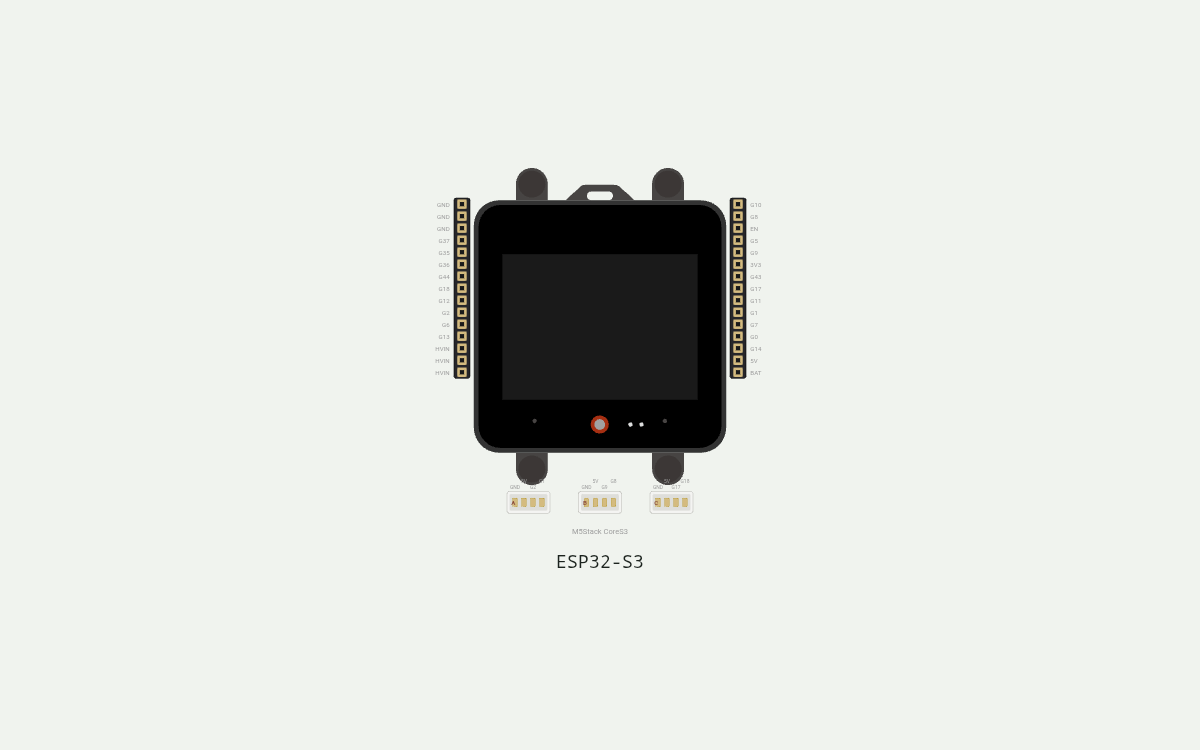
chip: esp32s3 — gpios: None used externally. Every function lives on the M5Stack CoreS3 board itself, so the firmware must not claim any free GPIO pad, the Grove ports, or the camera pins. — peripherals: part: 2.0" LCD (ILI9341, 320x240) — role: The whole display: playfield, control buttons, game-over mark. Driven in portrait orientation (240 wide x 320 tall). · part: Capacitive touch panel (FT5x06) — role: The only input device. Reports single-finger coordinates; the firmware hit-tests them against the playfield rectangle and the three control-strip rectangles. · part: Audio (AW88298 codec + built-in speaker) — role: Soundtrack and every sound effect. · part: AXP2101 power manager + battery — role: Battery charging and power control; the game runs on battery until it is flat.
Inputs
kind: touchscreen — label: Playfield tap — rotate — hardware: FT5x06 capacitive touch panel, touch region = the playfield rectangle — behavior: On touch-down anywhere in the playfield region, rotate the falling piece 90 degrees CLOCKWISE only. There is no counter-clockwise rotation and no long-press variant: the player taps up to three times to reach other orientations. If the clockwise rotation would collide with a wall, floor or stack, try small offsets (up one cell, left one cell, right one cell) so the piece kicks off the obstruction; if every offset collides, the rotation is refused and no rotate sound plays. Taps while the piece is mid-lock or during game-over are ignored. The playfield region is the rectangle above the control strip in the device's own upright orientation — see customBehavior for the orientation contract. · kind: touchscreen — label: Left arrow — move left — hardware: FT5x06 capacitive touch panel, round red button drawn in the bottom-left corner of the control strip — behavior: Each touch-down inside the left button moves the falling piece one column left if that cell is free; otherwise the piece stays put and nothing sounds. Holding the button does not auto-repeat — every move is a distinct tap. The button draws in its pressed (darker) state while the finger is down. · kind: touchscreen — label: Right arrow — move right — hardware: FT5x06 capacitive touch panel, round red button drawn in the bottom-right corner of the control strip — behavior: Mirror of the left button: one column right per touch-down, no auto-repeat, pressed-state highlight while held. · kind: touchscreen — label: Drop bar — hard drop — hardware: FT5x06 capacitive touch panel, wide space-bar style bar spanning the middle of the control strip between the two round buttons — behavior: One touch-down slams the piece straight down to its landing row, locks it immediately (no lock delay), plays the lock sound and spawns the next piece. The bar highlights while pressed. On the game-over screen the same bar acts as the 'play again' button.
Outputs
kind: display — label: Playfield — hardware: 320x240 ILI9341 LCD, driven in portrait — the CoreS3's wide panel is turned so the game stands upright — behavior: A 10-column x 20-row grid of 13 px square cells: a 130 x 260 field, centred horizontally in the 240 px width with 55 px gutters each side, starting 2 px from the top edge. The control strip occupies the bottom 56 px (y 264 to 319). Each cell is either empty or filled with a flat block in its piece type's current-level colour, with a 1 px darker border and a small top-left highlight so the 'pixel art' look reads as blocks, not dots. Filled cells keep the colour of the level in which they were locked. These dimensions are the whole screen — nothing is clipped, scaled or letterboxed, and no part of the field or strip may fall outside the visible 240 x 320 area. · kind: display — label: Control strip — hardware: Same LCD, bottom ~56 px of the portrait screen — behavior: Three drawn controls on a dark strip: a round red button bottom-left, a round red button bottom-right, and a lighter neutral wide bar between them occupying the middle. All three show a pressed state while touched. The strip is always visible during play and on the game-over screen. · kind: display — label: Game-over mark — hardware: Same LCD — behavior: When a new piece cannot spawn, the field freezes and a plain pixel-art 'GAME OVER' wordmark is drawn over the middle of the field, plus a hint-free dimmed field. A tap on the drop bar clears the field, resets to level 1, draws the level-1 palette and starts a new game. No score is ever displayed. · kind: speaker — label: Soundtrack + effects — hardware: AW88298 codec and the CoreS3's built-in speaker — behavior: A short lo-fi puzzle-chiptune loop (soft square/triangle lead, warm bass, light vinyl-ish noise) plays continuously from the first move and loops. Effects layer on top: a short tick on move, a two-note blip on rotate, a low thud on lock/drop, an ascending arpeggio on line clear (rising in pitch for 2, 3 and 4 rows at once), a short fanfare on level up, and a descending phrase on game over (after which the loop stops and only the menu is silent until restart). All audio plays at a quarter of the codec's maximum digital output level (half of the previously set half-volume level) — clearly audible in a quiet room, never loud. There is no on-screen volume or mute control; the level is set once in firmware.
Business Logic
powerOnBehavior: Power on straight into the game at level 1 with an empty field: a brief pixel-art splash of falling blocks (about one second) then the first piece drops in and the soundtrack starts. No menu, no title options, no settings. — automationRules: Piece selection uses a 7-bag randomiser: all seven shapes are shuffled into a bag and dealt one at a time, a new bag starts when the bag empties, so the player never waits long for a shape and never gets more than two of one shape back to back across the bag boundary. · Clearing rows: every row that becomes completely full is cleared the moment the locking piece settles — always, not only when several rows fill together. After a lock, scan the whole field top-to-bottom for full rows; if any are found, flash all of them once for about 120 ms, delete every full row, and drop everything above down by the number of rows removed. A single filled row clears on its own exactly like four at once. Clearing must never be conditional on the piece type, the row's position, or how many rows filled, and no row may ever stay full on screen after the lock completes. The number of rows that actually cleared is added to the current level's row counter and, if the counter reaches 20, to the level total before the next piece spawns. · Level advance: each level counts rows cleared since that level began, one per cleared row; the moment the count reaches 20 the level increments, the palette moves one step lighter, the soundtrack tempo nudges up slightly and gravity gets faster. Rows beyond 20 do not carry over — the counter restarts for the new level. · Gravity: level 1 drops the piece one row per second; every level shortens the fall interval by roughly 10% down to a floor of about 4 rows per second, so levels get noticeably faster without becoming unplayable. · Lock delay: a piece that lands gets about 400 ms to be moved or rotated before it locks, refreshed once per piece; the drop bar bypasses the delay and locks instantly. — dayToDayOperation: The player picks up the CoreS3, presses power, and plays. Left/right corner buttons nudge the piece, tapping the field rotates it clockwise, and the wide bar slams it down. Nothing else is ever on screen — the only feedback on progress is the block colours lightening and the game speeding up. A session runs until the player tops out or switches the device off; on battery the AXP2101 simply cuts out when the charge is gone and the game restarts at level 1 after the next charge. The palette advances one step per level: level 1 is the deepest, most saturated palette, and each level's tint is lighter, reaching a fully pastel palette at level 9 and staying pastel (hue-distinct, never washed out to the point of blending) for levels beyond.
Factory Reset
trigger: No reset gesture is needed — the product stores no settings, no scores and no pairings, so every power-on is a clean start. The CoreS3's own hardware power button (AXP2101) powers the device off or force-restarts it if the game ever hangs. — effect: Nothing to erase. A restart begins a fresh game at level 1 with the deepest palette.
Failure Modes
scenario: Battery runs low — behavior: The game keeps playing normally with no warning (there is no HUD to show one); the AXP2101 cuts power when the cell is exhausted. The device restarts at level 1 once charged or plugged into USB-C. · scenario: Speaker/audio codec fails to initialise or is muted by hardware — behavior: The game is fully playable in silence — audio is decoration only, and no gameplay timing or logic depends on a sound finishing. · scenario: Touch panel fails to initialise — behavior: Show a centred pixel-art warning mark on the field and keep the display running so the fault is visible; the device does not spin or crash. Recovery is a power cycle. · scenario: Power blip or brownout during a game — behavior: The game restarts from level 1; because nothing is persisted there is no corrupted state to recover. · scenario: Touch coordinates come in untransformed while the picture is rotated — behavior: This is a build fault, not a runtime state, and is called out in customBehavior: a tap in one place must act on the control drawn under the finger. If the picture rotates but touch does not, the symptom is controls that answer from the wrong edge of the screen — never an accepted behaviour. · scenario: No network — behavior: Not applicable — the product has no radio use at all. It works identically with Wi-Fi off and nowhere near a router.
Power Management
batteryPowered: true — sleepMode: None during play — the game is an active session and the player is touching the screen constantly. There is no idle auto-sleep and no screen dimming, because any fade would read as a bug in a game with no UI. — wakeSources: The CoreS3 power button only (AXP2101). Play resumes at level 1 after a power cycle.
Custom Behavior
Screen resolution and orientation contract. The CoreS3's panel is natively 320 x 240; the product runs it at 240 wide x 320 tall, a quarter turn, and every pixel position in this spec is expressed in that 240 x 320 space with the origin at the top-left corner of the upright device. The full canvas is 240 x 320 = 76,800 px (150 KB as RGB565), covering the whole visible area with no margins, no letterboxing and no unused bands. The layout is exactly: playfield 130 wide x 260 tall at x 55..184, y 2..261; a 2 px seam; control strip spanning the full 240 px width from y 264 to y 319, holding a round red button of radius 22 px centred at (34, 292), a mirror button centred at (206, 292), and the drop bar from x 66 to x 174, y 272 to y 312. The device is upright when the playfield's 20 rows stack downward toward the control strip, which sits along the bottom edge of the screen: the two round red buttons in the bottom-left and bottom-right corners and the wide drop bar between them, all readable left-to-right with the device held normally. Pieces fall downward toward the strip and move left/right along the strip — never toward a side edge. Gravity is always toward the bottom edge of the screen in the device's upright orientation. If the picture is rotated a quarter turn the wrong way the game lies on its side (strip along the left or right edge and pieces falling sideways); if it is half a turn out the strip is along the top. Getting this right is not optional: the game is portrait-first and an upside-down or sideways picture makes the controls unusable. Whichever rotation path the display port uses, the result must be the same 240 x 320 upright picture. If the panel is turned in hardware (the driver swapping X and Y and mirroring), the draw buffer and the panel's addressed area must be 240 x 320 and the panel must be configured for it — a 320 x 240 configuration carrying a quarter-turn picture means buffer and panel disagree, which shows up as a squeezed, cropped or half-drawn image. If the picture is turned in software instead, the LVGL display resolution is the final 240 x 320 and the port's rotation buffer must hold a full 130 x 260 field chunk at the largest partial refresh. Both paths must agree: the game draws in 240 x 320, the panel receives 240 x 320, and the touch panel's reported maxima match the same space. The same rotation must also be applied to touch input — a tap anywhere on screen must map to the control or field cell drawn under the finger. The portable rule: whichever quarter-turn (90 or 270) puts the strip along the bottom, use that one, set the resolution to 240 x 320 to match, and rotate touch with it.
Colour palette ramp. Seven fixed hues are assigned one per tetromino shape and never change during a session — red, orange, yellow, green, blue, purple, pink. On top of the hue sits a five-step tint ramp applied to the whole palette: step 1 is deep and vibrant (dark, saturated blocks on a near-black field), and each step lightens value and desaturates slightly, walking toward pastel at step 5. The tint step equals min(level, 5) capping the ramp: levels 1-5 each look different, and from level 5 on the palette holds at the pastel end while gravity continues to speed up. Because the tint is applied to the palette globally, all blocks of one shape are always identical in colour, no two shapes share a hue at any level, and the player reads 'lighter = faster' without any numbers on screen. Blocks already locked into the stack keep the tint they were created with, so the field shows a gentle gradient of older, darker pieces under newer, lighter ones.
Published 10 Nov 2026 · version 2
Firmware and source licensed Apache-2.0; photos and text CC-BY-4.0.
The firmware includes open-source software — open-source licences and notices; some components may be used only with Espressif chips.
Built with ESP ZeroCode AI — describe a device, get production firmware.
Terms of Service · Privacy Policy