ESP ZeroCode AI · Community
Music Player Toy
A device that can play from a set of tunes when pressed a button. Perfect for kids.
Use for fork— @khushbu_shahDownload the firmware Fork it in the studio
What it does
- Play random tune from library of 10-15 songs on button press
- Audio output via built-in M5 CoreS3 speaker
- Visual feedback: touchscreen animation and LED indicator while playing
- Volume control via touchscreen interface
- Battery powered with onboard 2000mAh battery
- Purely local operation — no Wi-Fi or Bluetooth connectivity
Manual
Device Type
Interactive Music Player Toy — a kid-friendly device that plays random musical tunes with synchronized visual and audio feedback, powered by battery.
Hardware
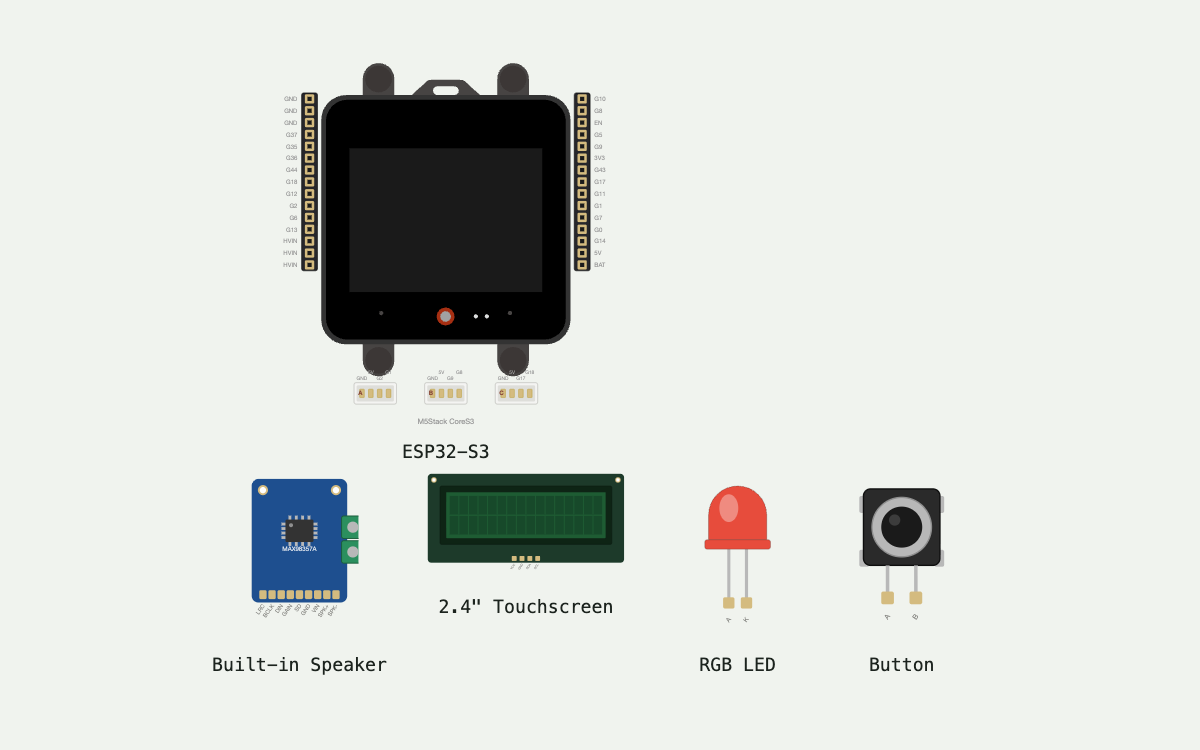
chip: ESP32-S3 — board: M5Stack CoreS3 — onboardDevices: 2.4" IPS LCD touchscreen (240×320) · Built-in stereo speaker · Programmable RGB LED · Physical button · 2000mAh Li-ion battery · GPIO expander (AW9523) · Audio codec (AW88298 DAC, ES7210 ADC) · Power manager (AXP2101) — gpios: Managed by M5Stack CoreS3 — audio and display via integrated peripherals; button and LED via internal wiring
Inputs
kind: button — label: Play Button — hardware: Built-in physical button on M5 CoreS3 — behavior: Single press triggers random tune selection and playback with synchronized LED and screen animation · kind: touchscreen — label: Volume Control — hardware: 2.4" capacitive touchscreen — behavior: On-screen volume slider or buttons to adjust playback volume (0–100%); adjustments applied in real-time
Outputs
kind: audio — label: Speaker Output — hardware: Built-in stereo speaker (M5 CoreS3) — behavior: Plays selected tune at current volume level; mono or stereo depending on tune format · kind: led — label: Status LED — hardware: Built-in RGB LED — behavior: Blinks or animates during playback to provide visual feedback; color/pattern customizable (e.g., pulsing glow, fast blink) · kind: display — label: Touchscreen — hardware: 2.4" IPS LCD (240×320) — behavior: Displays current tune name/number, volume level, animated graphics during playback, and idle welcome screen
Connectivity
stack: None — transport: Local only — purpose: Purely local operation — no cloud, Wi-Fi, or Bluetooth connectivity
Commissioning
method: Out-of-box ready — instructions: Device boots automatically; user presses button to start playing tunes or taps screen to adjust volume. No pairing, Wi-Fi setup, or network configuration required.
Business Logic
powerOnBehavior: Device boots to idle state with welcome screen and ready-to-play indicator. LED pulses softly to show it is awake. — dayToDayOperation: Child presses button → device randomly selects one tune from library and plays it → LED and screen animate in sync → playback ends and returns to idle. Child can adjust volume anytime via touchscreen during or between tunes. — automationRules: None — purely manual trigger.
Power Management
batteryPowered: true — battery: 2000mAh Li-ion (built-in M5 CoreS3) — sleepMode: Optional deep sleep when idle (to extend battery life); device wakes on button press — wakeSources: Button press (main play trigger) · Touchscreen tap (volume control or wake from sleep)
Failure Modes
scenario: Battery depleted — behavior: Device powers down; LED fades and screen turns off. User must charge via USB (built-in USB-C) · scenario: Audio file corruption or missing tune — behavior: Device skips the corrupted tune and selects another from the valid library (or shows error screen) · scenario: Button stuck or unresponsive — behavior: Touchscreen can still trigger playback as backup (if volume or UI buttons are repurposed for play)
Factory Reset
trigger: Hold button for 5+ seconds (or long-press dedicated reset button if added) — effect: Restores default volume (50%), clears any user settings, resets to welcome screen
Tune Library
count: 10–15 pre-loaded tunes — format: WAV or MP3 (stored in SPIFFS or LittleFS) — examples: Nursery rhymes, simple melodies, toy sound effects (customizable for different themes)
Published 10 Sep 2026
Built with ESP ZeroCode AI — describe a device, get production firmware.
Terms of Service · Privacy Policy