ESP ZeroCode AI · Community
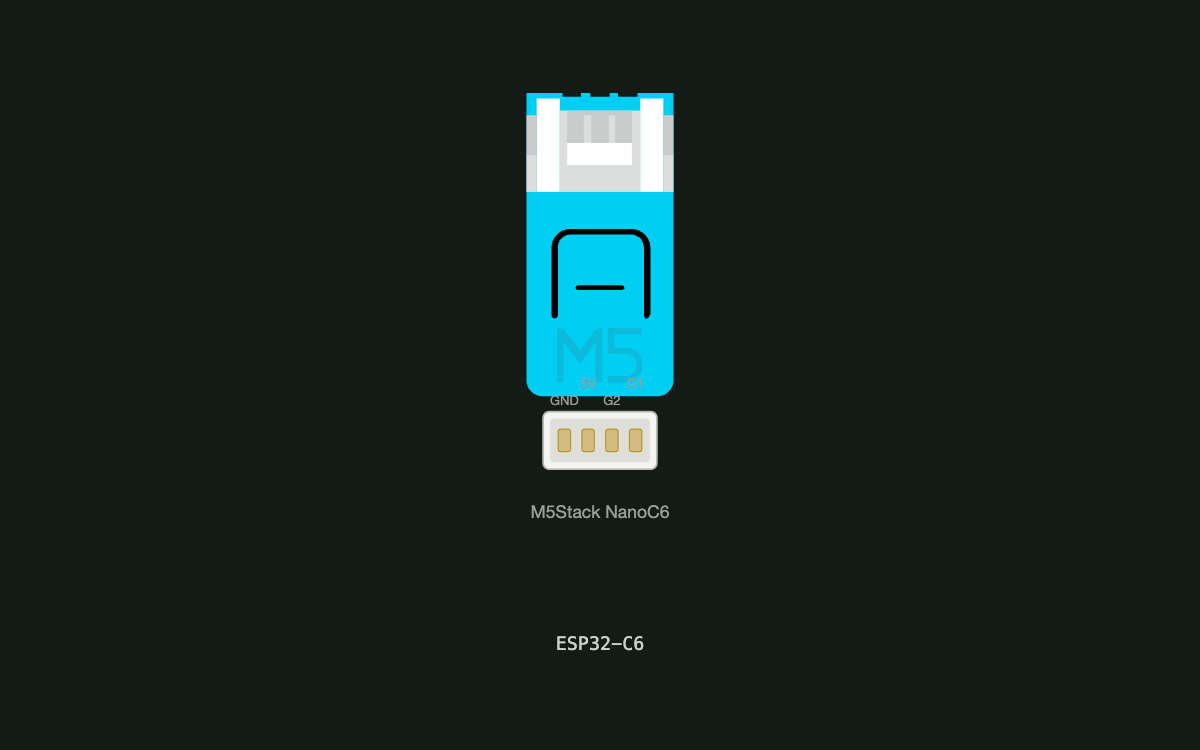
Multi-Pattern LED
multi-color light based on M5 Stack Nano C6. When I press the on-board button the on-board light pattern changes. It can have multiple light blinking patterns
What it does
- Pattern display — the on-board WS2812 RGB LED plays the currently selected animated light pattern
- Pattern select — a press of the on-board user button immediately switches the light to the next pattern, wrapping around from the last pattern back to the first
- Five built-in patterns — rainbow sweep, breathing blue, red heartbeat, amber blink, green slow pulse
- Reset to start — holding the user button for 5 seconds returns the light to the first pattern (rainbow sweep)
- Power-on behavior — starts in rainbow sweep every time it is powered on; the last pattern is not remembered
Manual
Device Type
summary: A standalone multi-pattern LED light built on the M5Stack NanoC6 development board. It is a self-contained decorative/demo light: the board's own RGB LED cycles through five animated patterns, and the board's own push button steps to the next pattern. No phone app, no hub, no network — the whole product is one board, powered over USB-C. — problem: Gives a small, self-contained way to show several animated light effects and switch between them with a single physical button, with no configuration or connectivity required.
Hardware
chip: esp32c6 — board: m5-nanoc6 (M5Stack NanoC6) — gpios: gpio: GPIO20 — role: WS2812 data out (RMT) — the on-board RGB LED — direction: output · gpio: GPIO19 — role: RGB LED power enable — driven high once at boot so the LED lights — direction: output · gpio: GPIO9 — role: user button input, active low, internal pull-up (button to GND) — direction: input — peripherals: On-board WS2812 addressable RGB LED (single pixel) — GPIO20 data, GPIO19 power enable. This is the device's only light output. · On-board user push button — GPIO9, active low. Short press steps patterns; long press (5 s) resets. · On-board blue status LED on GPIO7 — left unused; the product's output is the RGB LED. · On-board IR transmitter on GPIO3 — not used by this product. — sparePins: GPIO1 (free, ADC-capable) · GPIO2 (free, ADC-capable) — noExternalParts: true — notes: Nothing is wired externally — every part this product uses is already soldered on the NanoC6. No strapping-pin concern: the only driven outputs are GPIO20 and GPIO19, neither of which is a strapping pad.
Inputs
kind: button — label: Pattern button (on-board user button) — hardware: GPIO9, active low, internal pull-up, ~30 ms software debounce — behavior: A press immediately advances the light to the next pattern (immediate switch — it does not wait for release). Patterns wrap: from the fifth pattern the next press returns to the first. Holding the button continuously for 5 seconds is a separate gesture that resets the light to the first pattern (rainbow sweep) regardless of which pattern is showing; the hold does not advance the pattern beyond the one already switched to on that press.
Outputs
kind: rgb_led — label: On-board RGB LED (single WS2812 pixel) — hardware: GPIO20 via RMT, power enabled on GPIO19 — behavior: Plays exactly one of five animated patterns at a time; brightness is intentionally capped (about 50% of full scale) to keep the single pixel comfortable to look at and within the board's power budget. Pattern changes take effect on the next animation frame, so the switch is visually immediate (no more than one frame of lag).
Commissioning
None. The product has no frameworks and no network stack — it works out of the box the moment it is powered over USB-C. There is no pairing, no app, no credentials.
Business Logic
powerOnBehavior: On power-up the LED power rail (GPIO19) is driven high, the button input (GPIO9) is configured with its pull-up, and the light immediately starts playing pattern 1 (rainbow sweep). The last pattern used is NOT remembered across power cycles — every power-on starts at pattern 1. — automationRules: None. The only state machine is the pattern selection loop: press -> next pattern (wrapping 5 -> 1); 5-second hold -> pattern 1. — dayToDayOperation: The light animates on its own in the selected pattern. The user presses the on-board button to step through the five patterns and stops on the look they want. It keeps playing that pattern indefinitely until the next press or a power cycle. There are no timers, schedules, or external triggers: the device does nothing but animate and respond to the button.
Factory Reset
trigger: Press and hold the on-board user button for 5 seconds. — effect: The light returns to pattern 1 (rainbow sweep) and resumes normal play. This is a behavior reset only — the device holds no stored configuration, credentials, or remembered state, so there is nothing else to erase. The board's own reset/boot buttons remain the recovery path if the firmware itself stops responding.
Failure Modes
scenario: No power / USB cable unplugged — behavior: The light goes out completely. On power-up it restarts at pattern 1 with no other side effects. · scenario: Power blip or brown-out — behavior: The board reboots and the light restarts at pattern 1 (rainbow sweep); the selected pattern is not restored. · scenario: Button held down or stuck (e.g. something resting on it) — behavior: The light advances one pattern on the initial press and, after 5 seconds of continuous hold, resets to pattern 1. It then stays on rainbow sweep until the button is released and pressed again. · scenario: Firmware stops responding — behavior: The animation freezes on its last frame. The user recovers by unplugging/replugging USB or pressing the board's physical reset button — both restart the firmware at pattern 1. · scenario: Wi-Fi down / cloud unreachable — behavior: Not applicable — the product has no network stack and never depends on connectivity. · scenario: Battery low — behavior: Not applicable — the product is USB-powered and has no battery.
Power Management
batteryPowered: false — notes: Powered from USB-C only. No sleep mode: the LED must animate continuously, which is the product's entire purpose. LED brightness is capped to keep the on-board regulator comfortable.
Custom Behavior
The chosen set of five patterns is arbitrary and intended to be easily editable in firmware: patterns are defined as independent animation functions sharing a common 'render frame at time t' interface, so adding, removing, reordering, or swapping one out is a local change. Press-to-advance is deliberately immediate (acts on press, not release) so the light feels instantly responsive.
Published 30 Sep 2026
Built with ESP ZeroCode AI — describe a device, get production firmware.
Terms of Service · Privacy Policy